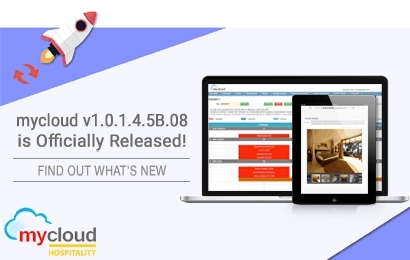
This document describes the new features affected in the mycloud release sprint 1.0.1.4.5B.
This document is divided into the following sections:
1. About the Release
2. New Features
3. Improvements
4. Additional Resources
About the Release
Release Date: 26-07-2026
This release contains the following new features and improvements.
👍 New Features

PMS → Interfaces → Jordon E-Invoicing

Stay compliant with Jordan’s latest e-invoicing regulations. mycloud PMS now supports Jordan E-Invoicing (JoFotara) for all B2B, B2C, and B2G transactions. Reach out to your Account Manager today to enable the feature for your property.
PMS → Interfaces → Revenue Management Software

Turn every booking into a revenue opportunity. The mycloud PMS + Revnomix integration combines real-time PMS data with market trends, competitor rates, and demand forecasts to automatically optimise room pricing, helping you maximise occupancy, boost revenue, and stay ahead of the competition.
PMS → Reports → Forecast Reports

The new Business Source filter lets you view Pick-Up data across your Forecast and CRS reports, helping you identify your top-performing booking channels.
PMS → Reservation → Multiple day-use Bookings

You can now accept multiple day-use bookings for the same room on the same day. mycloud PMS automatically checks ETA & ETD to ensure booking times never overlap, so you can maximise occupancy without the risk of double bookings.
Why you’ll love it: Generate more day-use revenue while the system takes care of the scheduling.
PMS → Reservation → Documents → Waitlist Letter

Stay connected with every guest, even when you’re fully booked. With the new Waitlist Letter, guests are automatically notified when their reservation is added to the waiting list. Keep them informed with timely updates while your team manages demand more efficiently.
Why you’ll love it: Improve the guest experience, reduce follow-ups, and turn more waitlisted guests into confirmed bookings.
PMS → Reports → GST Reports

We’ve introduced a new GST Advance Tax Breakup Report to make reconciliation simpler.
The report helps you match your GST advance tax entries with the General Ledger (GL) numbers generated during the Night Audit, making your records more accurate and easier to verify.
🚀 Improvements
We’ve improved several operational and financial reports to make them easier to read and more actionable:
PMS → Booked Thru
SEZ Flag
You can now tag a Booked Thru agent/company with an “Is SEZ” flag (available for properties with Indian GST and SEZ enabled). Future reservations made through an SEZ-tagged source will automatically update the reservation to SEZ status and prompt for the GST number.
GST No/PAN No validation
The GST field now appears before the PAN field on both Booked Thru and Reservation screens. Entering a 15-character GST number will automatically extract and populate the PAN number for you.
PMS → Reports
Settlement Report is modified to display system-generated Bill Numbers upon checkout, or regional Invoice Numbers (GST, KSA, KRA, Malaysian, Jordan, Mexican).
Transaction Register excel export is modified to include the GST Invoice Number.
Group Level Flash Report – we have added new columns for No. of Rooms (including OOO) and Occupancy % (including OOO) across Daily, MTD, and YTD views.
Daily Sales Report We have added a Budget column and reorganized layout for cleaner comparisons across Today, MTD, and YTD.
Daily Sales Setup – Revenue can now be broken down by Market Segment based on your setup preferences.
PMS → Cashiering
Enhanced Specific Amount Transfers: When transferring amounts between guest folios, you can now choose to transfer either a Balance or a Payment/Advance and select the exact folio to pull from. The system will automatically ensure you don’t transfer more than the available balance or payments on that folio.
Oracle Fusion Payment Export: Added a “Download Oracle Credit Card Payment” button on both the Export Sales and Export Debtors screens to give you easy access even on days without debtor settlements.
PMS → Reservations
Faster Front Desk Entry:
- Quick Reservation now includes ETA/ETD (Estimated Time of Arrival / Departure) fields.
- Mandatory field settings now support GSO and Booked Thru requirements across Create, Modify, and Check-In workflows.
Flexible Date-Based Transfer Services:
- You can now schedule multiple transfer services for specific dates within a guest’s stay.
- The Airport Transfer Report has been updated to reflect these date-specific pickup and drop-off schedules accurately.
Maximum Rate Protection:
- A new safety control prevents staff from booking rates higher than the approved maximum for a specific room type, date, occupancy, or
currency.
PMS → Guest Communications
Privacy Policy & Feedback Links
- Confirmation, Amendment, and Cancellation emails now automatically include a link to your Data Privacy Policy.
- Thank You letters now include links to both your Data Privacy Policy and Feedback Form.
POS → POS Check Display
Restaurant POS checks now display the Print Count on the header so staff can easily track re-prints.
PMS → Integration
Channel Manager Over/Under Booking
Added a setup option allowing channel managers to receive over booking/under booking capacity updates.
Proforma Invoice Discount Display
Fixed an issue where discounts on inclusion charges were correctly calculated during posting but missing from the Proforma preview.
Additional Resources
To watch recorded training videos of Property Management System & Point of Sales, check out mycloud YouTube channel – https://www.youtube.com/c/mycloudpms/playlists